> ## Documentation Index
> Fetch the complete documentation index at: https://docs.contexaai.com/llms.txt
> Use this file to discover all available pages before exploring further.
# API Keys
> Generate and manage your API keys
API keys are essential for programmatically interacting with Contexa’s services. Whether you're enabling **tool-level tracing**, integrating MCP servers with external clients, or setting up future platform extensions - API keys serve as your secure authentication tokens.
### Where to find them
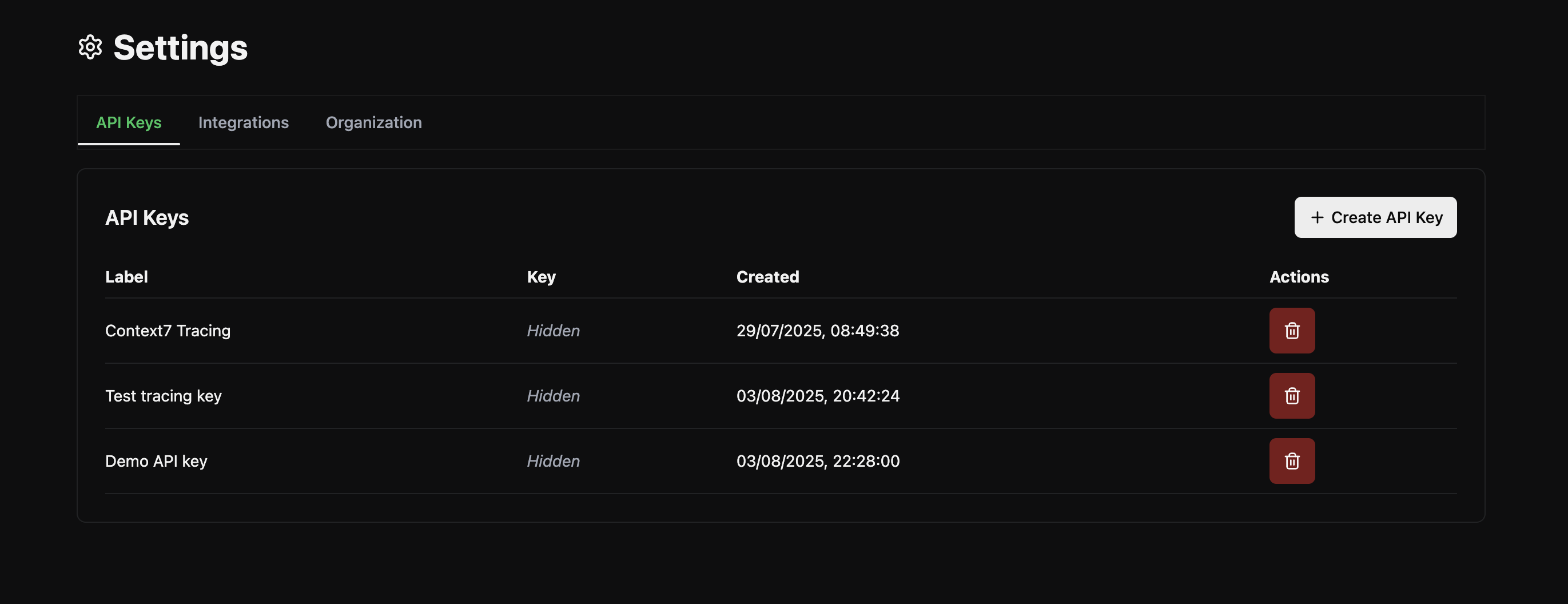
Navigate to **Settings → API Keys** to view and manage your keys.
 ### What you can do
#### ✅ **Generate a new API Key**
* Click the **“+ Create API Key”** button.
* Give your key a meaningful **label** (e.g., `Context7 Tracing`, `Prod Agent Access`).
* Once created, the key will appear in the list.
**Important:** For security reasons, you will only be able to **view and download the key once** at the time of creation. Make sure to copy or save it securely.
### How are API keys used?
* **Enable tracing** for tool calls across MCP servers
* **Authenticate access** to specific platform features
* **Future use cases**: API-based server creation, external monitoring integrations, third-party app linking, etc.
API keys offer a simple and secure way to manage access to Contexa services—just like you would in any production-grade platform or API-first infrastructure. Treat your keys like passwords: store them safely, rotate when needed, and delete unused ones.
### What you can do
#### ✅ **Generate a new API Key**
* Click the **“+ Create API Key”** button.
* Give your key a meaningful **label** (e.g., `Context7 Tracing`, `Prod Agent Access`).
* Once created, the key will appear in the list.
**Important:** For security reasons, you will only be able to **view and download the key once** at the time of creation. Make sure to copy or save it securely.
### How are API keys used?
* **Enable tracing** for tool calls across MCP servers
* **Authenticate access** to specific platform features
* **Future use cases**: API-based server creation, external monitoring integrations, third-party app linking, etc.
API keys offer a simple and secure way to manage access to Contexa services—just like you would in any production-grade platform or API-first infrastructure. Treat your keys like passwords: store them safely, rotate when needed, and delete unused ones.